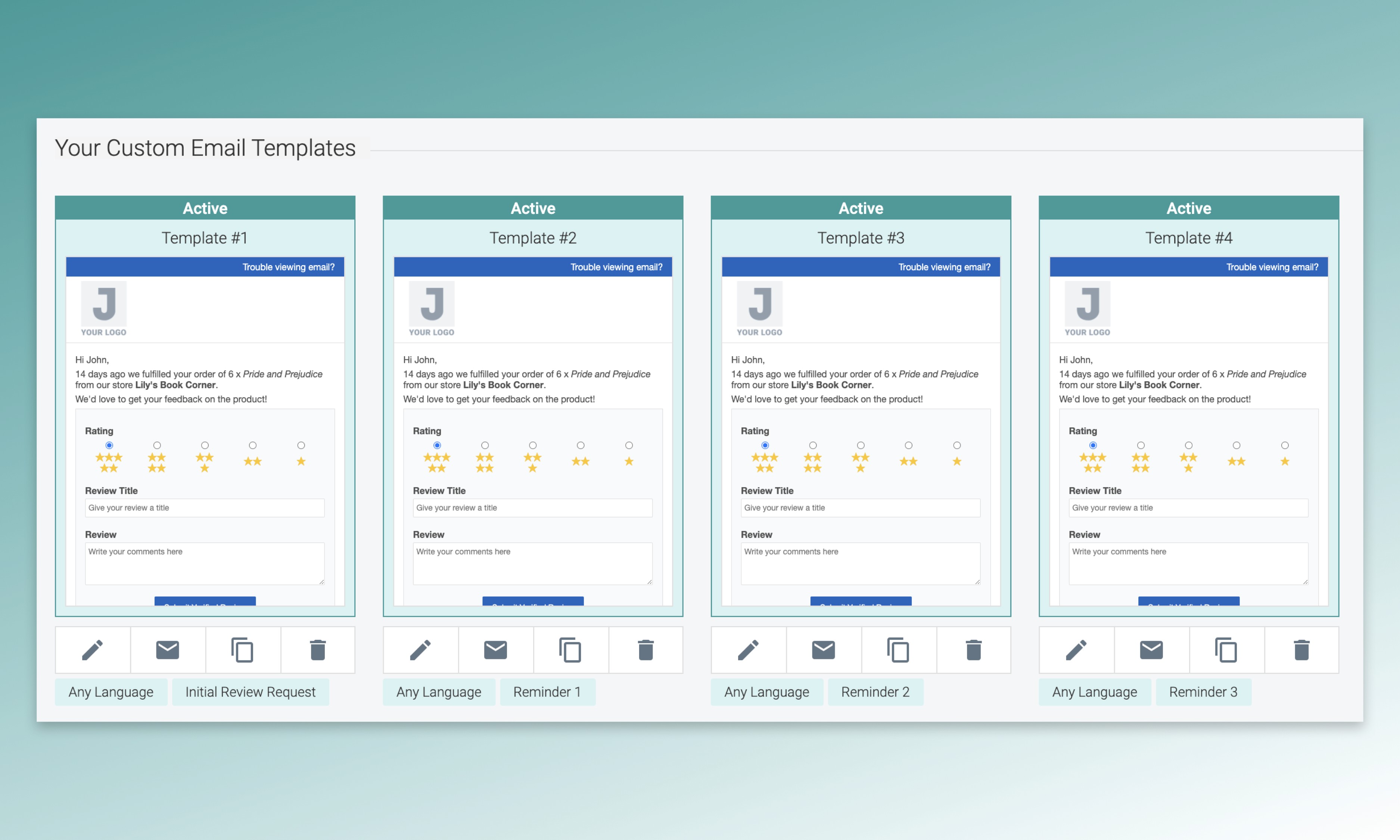
An average person receives more than 120 emails per day, so it's important that you write customized review requests and reminders that capture attention and compel people to submit a review. Now, you can set up your own customized sequence of initial review request and automatic reminder emails inside Judge.me. Simply create new emails and decide on the sending order using our email editor.
In this article, we’ll show you how to create your own sequences of customized email templates.
1/ Assign specific templates to your review request and reminder emails
Our automatic reminders feature lets you send up to three reminders after your initial review request emails. After enabling the automatic reminders, you can create many email templates and assign them as Initial Review Request or Reminders in the email settings. You need to activate all template to make the sequence work. In case you accidentally deactivate any template, we’ll apply specific rules to pick the desired template when sending each of your request emails.